
HotSpot Manager1.11 - Get APK
You'll be able to download in few seconds.
Publisher Description
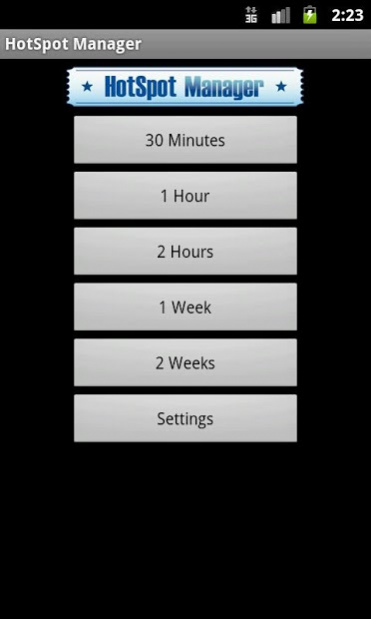
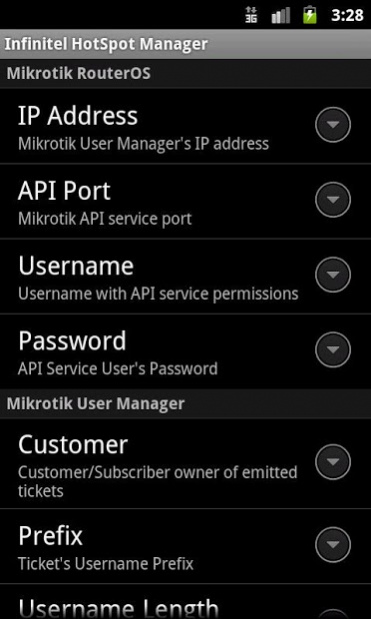
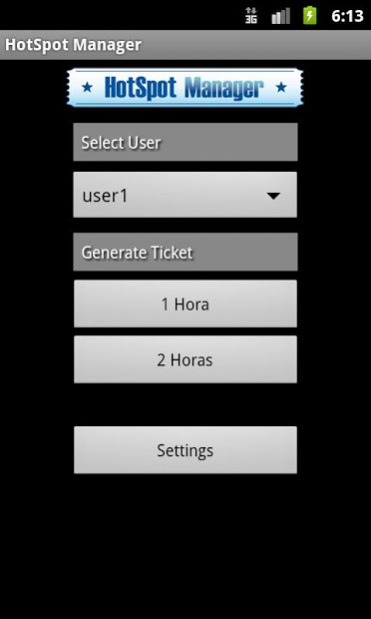
HotSpot Manager for Mikrotik generates customized printed tickets with randomly generated usernames and passwords for a Mikrotik User Manager based HotSpot.
You can test the app before buying with "HotSpot Manager Demo" also available on Google Play.
HotSpot Manager works connected to Mikrotik User Manager and prints to a thermal ESC/POS compatible Epson printer with network support (wifi or ethernet) to issue paper tickets.
Infinitel HotSpot Manager supports as many Mikrotik User Manager profiles as you need. You can set your Mikrotik User Manager to set tickets duration in minutes, hours, days or weeks and print them with a single touch.
The app allows you to setup many options:
- Setup as many profiles/credits as needed.
- Define the username prefix and length.
- Define the password length.
- Define list of predefined reusable usernames
- Customize main screen logo.
- Protect settings with password.
- Define a customized ticket/voucher:
- Format your text font: bold, underlined, double tall, double wide.
- Align it to left, center or right.
- Print your custom logo.
- Print a QRCode to access hotspot captive portal and autofill username.
- Use the QRCode to redirect your users to a page of your choice after login.
- Set autocut paper if printer supports it.
You can find a detailed user's manual on developers page.
HotSpot Manager is compatible with Mikrotik RouterOS 4.17, 5.12 or higher.
About HotSpot Manager
The company that develops HotSpot Manager is Infinitel. The latest version released by its developer is 1.11.
To install HotSpot Manager on your Android device, just click the green Continue To App button above to start the installation process. The app is listed on our website since 2017-02-22 and was downloaded 0 times. We have already checked if the download link is safe, however for your own protection we recommend that you scan the downloaded app with your antivirus. Your antivirus may detect the HotSpot Manager as malware as malware if the download link to es.infinitel.hotspot is broken.
How to install HotSpot Manager on your Android device:
- Click on the Continue To App button on our website. This will redirect you to Google Play.
- Once the HotSpot Manager is shown in the Google Play listing of your Android device, you can start its download and installation. Tap on the Install button located below the search bar and to the right of the app icon.
- A pop-up window with the permissions required by HotSpot Manager will be shown. Click on Accept to continue the process.
- HotSpot Manager will be downloaded onto your device, displaying a progress. Once the download completes, the installation will start and you'll get a notification after the installation is finished.
Program Details
System requirements
Download information
Pricing
Version History
version 1.11
posted on 2017-02-22
1.11
- Storage access permision added to allow app logo change
- Solve unusual error with User Manager get user function
version 1.10
posted on 2015-11-12
1.10,- Added RouterOS 6.33 support,1.9,- QR support totally rewrited. Now uses ESC/POS printer QR native support instead of binary image printing.,1.8.2,- Updated to support RouterOS 6.30 or higher,1.8.1,- Allow password length 0,1.8,- Rebuilt Mikrotik API connectivity library,- Solved API sessions left opened on RouterOS 5.12 or higher,- Minimun Android version compatibility rised to 2.3
Disclaimer
External Download
We do not host HotSpot Manager on our servers. We did not scan it for viruses, adware, spyware or other type of malware. This app is hosted by Galad and passed their terms and conditions to be listed there. We recommend caution when installing it.
The APK Download link for HotSpot Manager is provided to you by apps112.com without any warranties, representations or guarantees of any kind, so access it at your own risk.
If you have questions regarding this particular app contact the publisher directly. For questions about the functionalities of apps112.com contact us.
